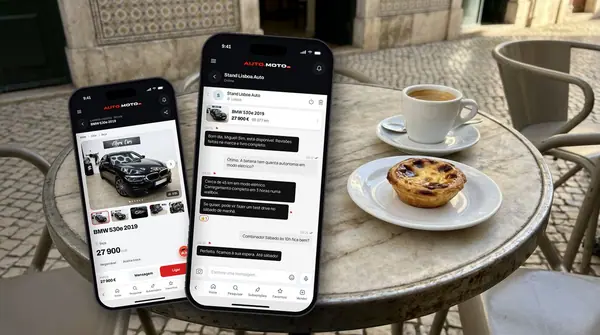
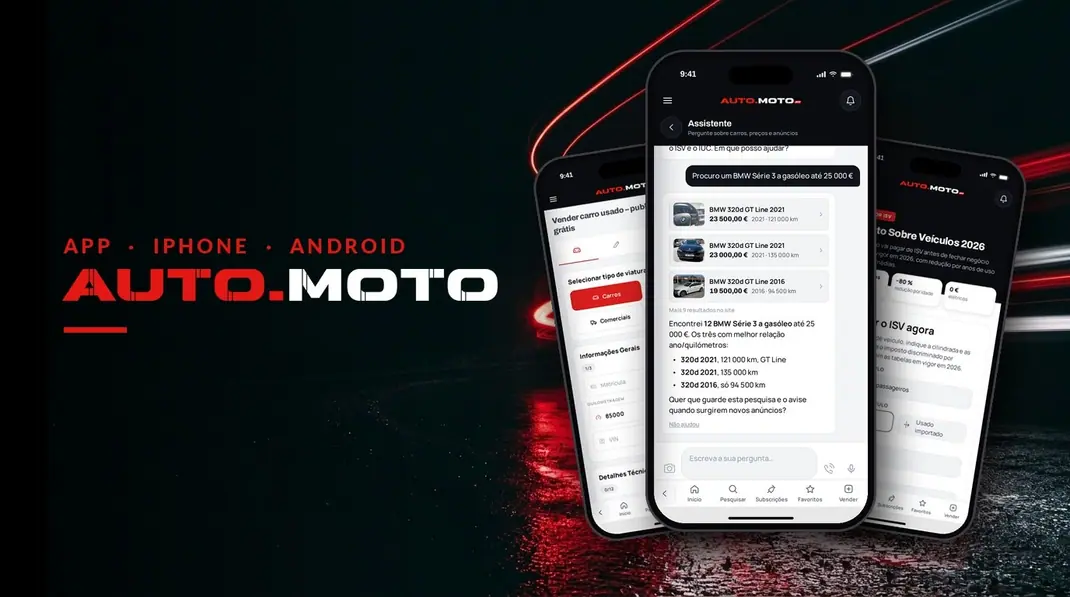
The AUTO.MOTO app for iPhone and Android is free, uses the same account as the website and gives you 2 free adverts a month, while the website gives you 1. On your phone, you get a notice straight away when a message, a price offer or a trade-in offer arrives.
In this guide we look at what the app does, how to sell your car from your phone, which notifications you get and how to install it. To see every feature and the App Store and Google Play buttons, open the page of the AUTO.MOTO app for iPhone and Android.
The AUTO.MOTO app: what it is and what it costs
It is the app of AUTO.MOTO.pt, the website for used cars, motorbikes and vans in Portugal. It has the same adverts as the website, from private sellers and dealers across the country.
- price: free, on the App Store for iPhone and on Google Play for Android;
- account: you log in with the account you already use on the website, and your adverts, chats and saved searches show up on both;
- language: Portuguese and English, with a dark theme;
- who it is for: private buyers and sellers, and dealers, who can import their stock into AUTO.MOTO.
2 free adverts a month in the app, 1 on the website
This is the biggest difference. On the website you can publish 1 free standard advert a month. In the app you can publish 2. If you want to sell more than one car, or a car and a motorbike, the app pays off straight away.
The limit belongs to the account, not to the device. Some examples:
- 1 advert on the website and 1 in the app in the same month: both are free;
- 2 adverts in the app: both are free, but that month there is no free advert left on the website;
- 2 adverts on the website: the second one is paid, because the second free advert can only be published from the app;
- renewing an advert counts as a new publication.
Each free advert you use becomes available again one month later. They do not add up: you never have more than 2 at a time.
Selling a car from your phone: photos and advert in minutes
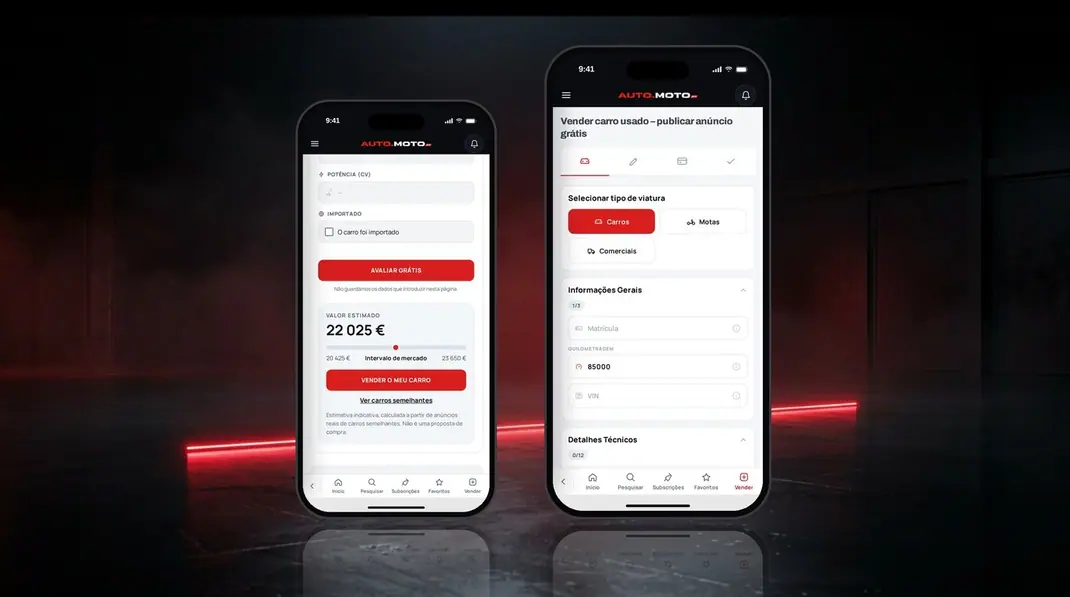
Selling from the app is quicker because the photos are already on your phone. The advert is filled in step by step:
- photos: take them with your phone camera or pick them from the gallery;
- number plate: with the «Hide the number plate» option, the plate is covered in the advert photos;
- car details: send the assistant a photo of the registration certificate and it fills in the advert details for you;
- publishing: confirm the price and publish the advert for free.
If it is your first time selling, first read our guide on how to sell your car in Portugal quickly and without losing money, with the paperwork and how to take payment safely. And if you are at a computer, you can always publish your car advert on the website, with the same account.
Notifications: never miss a message, an offer or a trade-in
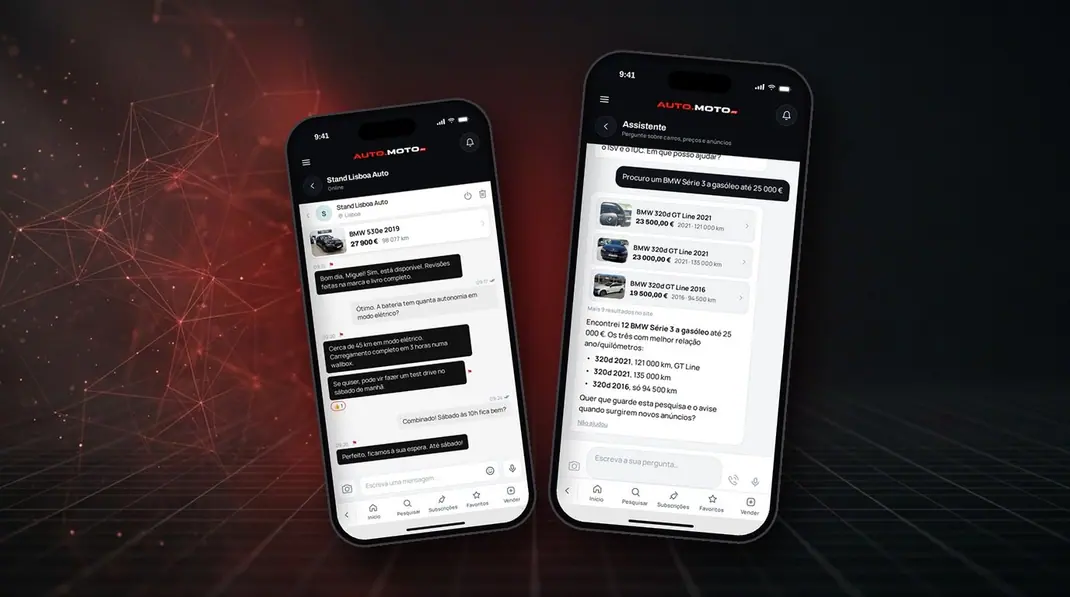
Anyone who has sold a car knows the first interested buyer is often the one who gets the quickest answer. With the app, notices reach your phone for:
- chat messages, with photos, video and voice messages;
- price offers and trade-in offers of the buyer's own car;
- questions about your advert, and a notice when one of your offers is declined;
- new adverts matching a saved search;
- the end of your advert's publication period, so you can renew it in time.
The first time, the app asks for permission to send notifications. If you said no and changed your mind, see how to turn them on in the iPhone notification settings or the Android notification settings.
An AI assistant in your pocket
The AI assistant is always at hand in the app. You can type or talk to it, as you would to a friend who knows about cars:
- search: say «I am looking for a diesel car up to €15,000» and it finds the adverts and compares them;
- save the search: it saves it and the app tells you when a new car turns up;
- sell: from a photo of the registration certificate, it prepares the advert;
- ask: it answers questions about taxes, paperwork and prices.
The assistant's answers are a help, not professional advice. Before buying, check the car's details with the seller and in its documents.
Valuation, ISV, IUC and fuel prices
The website's tools are in the app too:
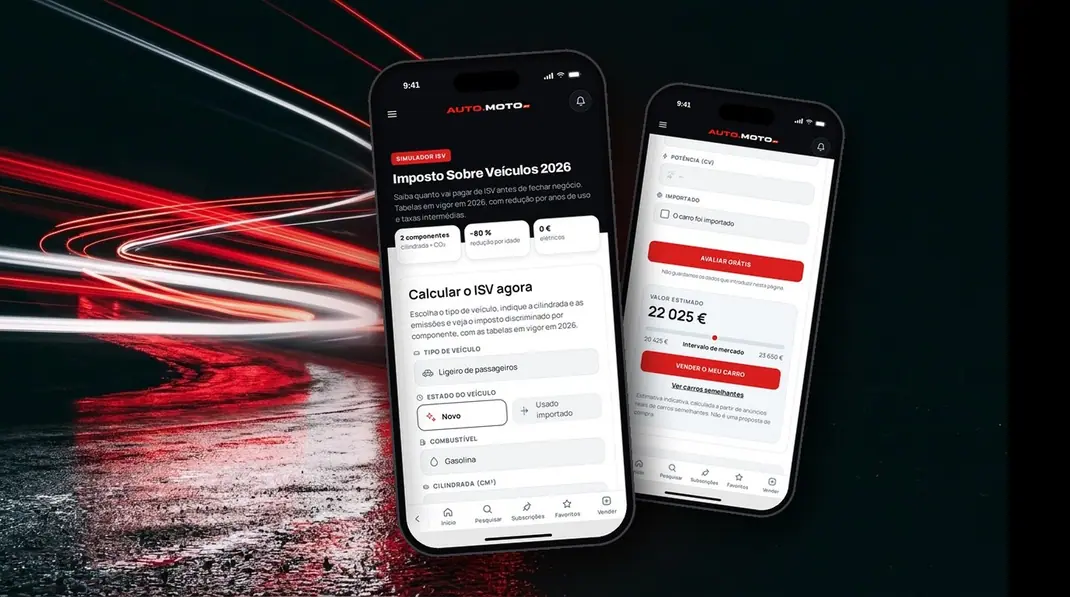
- valuation: the free car valuation shows the estimated value and the market range, based on similar cars for sale;
- ISV: the ISV calculator works out the registration tax on a new or imported used car, with the current tables of the ISV Code;
- IUC: the IUC calculator shows how much road tax you pay each year;
- fuel: see today's fuel prices in Portugal and the nearest stations, with data from the DGEG.
The figures are estimates. The valuation is not an offer to buy, and the final tax is whatever the Tax Authority assesses.
How to install the AUTO.MOTO app
- open the app page on your phone and tap the App Store (iPhone) or Google Play (Android) button, or search for «AUTO.MOTO» in the store;
- install the app, which is free;
- log in with the account you already use on the website, or create a new account;
- allow notifications, so you get messages and offers as soon as they arrive.
AUTO.MOTO app: frequently asked questions
Is the AUTO.MOTO app free?
Yes. Installing and using it is free, and the app gives you 2 free standard adverts a month. Featured placements and dealer packages are still paid, as on the website.
Can I use the same account as on the website?
Yes. It is the same account, so your adverts, chats and saved searches are on both.
How many free adverts do I get a month?
2 per account in total. On the website you can only use 1; the second free advert of the month is published from the app.
Does the app work on iPhone and Android?
Yes. It is on the App Store for iPhone and on Google Play for Android.
Do I need the app to buy or sell?
No. The website still has everything. The app gives you the second free advert of the month and notices on your phone, so you never miss a buyer.